Autodesk 3DS Max has maintained its position as the industry standard for professional 3D modeling, animation and rendering. It is an engine that supports high-end visual effects in movies and complex architectural visualization. However, for independent creators and small studio owners, the download process and licensing structure can be confusing. The situation has shifted from permanent licenses to a strict subscription model.
This article briefly explains how to get the software, which versions can actually be used, and the costs associated with continuing projects without legal or security risks.
Where to safely download 3DS Max
If you are looking for How to download 3DS Max, the answer is simple. Only through official channels.
Autodesk does not distribute installers through third-party download sites, torrent trackers, or “cracked” software discussion groups. Downloading from unauthorized sources isn’t just a bad idea. This is dangerous. These files often contain malware, ransomware, or cryptocurrency mining programs that can compromise your entire workstation. In addition, pirated versions lack important security updates and cannot connect to Autodesk’s cloud services, potentially putting you at risk of data loss.
The only legitimate sources are:
1. Autodesk official website.
2. Authorized Autodesk resellers and partners.
Downloading from the official portal ensures the integrity of the installation files. This ensures that everything from the physics engine to the rendering engine works as expected. You also have access to the Autodesk Knowledge Network for support and troubleshooting.
Trial guide
For most users, the starting point is experimentation. Autodesk offers a fully featured 30-day free trial. This is not a stripped down “lite” version. Get the complete set of tools for professional use. The goal is to stress test the software based on certain hardware and project requirements.
In the meantime, you can check out:
* Advanced polygon modeling and spline creation.
* Complex animation devices and kinematics.
* High quality rendering with Arnold or V-Ray integration.
If the software meets your needs, you must purchase a subscription to continue using it after the trial period ends. There is no longer a “one time purchase” option for new customers.
Operating system compatibility
This is a serious limitation: 3DS Max only supports Windows.
Autodesk has not yet released a native version for macOS, Linux, or mobile operating systems (iOS or Android). This software is designed to harness the power of professional Windows workstations that meet the following specific requirements:
Windows 10 (64-bit)
Windows 11 (64-bit)
Native installation is not available for Mac users. Some people try to dual-boot Windows on an Intel-based Mac using Boot Camp or use virtualization software like Parallels on Apple Silicon. However, virtualization often creates performance bottlenecks, especially when it comes to real-time rendering or complex scene calculations. A separate Windows PC or workstation is required for a seamless user experience.
Which version can I download?
You may not need the latest version. Projects often require compatibility with older file formats or specific pipeline standards.
Accessing Older Versions
Autodesk allows licensed subscription users to download previous versions of its software. This is important for studios working with external partners who are still using legacy systems. If your partners use the 2023 version, you may need to open the file in 2023 to avoid conversion errors or data loss.
However, there are some limitations.
* You usually have access to the last 3 major versions.
Requires an active and valid subscription.
Older versions are not free. These are part of your existing license rights.
This strategy ensures that users remain within the supported ecosystem while providing flexibility with backwards compatibility. It also speeds up the rollout of new features because support for very old versions will eventually end.
Installation process
Installation is easy, but requires attention to detail.
1. Download the installer. Retrieve the executable file from the Autodesk account portal.
2. Run the installer: Start the installer. Administrator rights may be required.
3. Component selection: Select required languages, installation paths and specific tools (script tools, specific renderers, etc.).
4. Internet connection: A stable connection is essential. Typically, installers download additional content packs and check licenses in real time.
Completing this step too quickly can result in missing libraries or corrupted files. Take the time to properly configure your environment.
Pricing, licensing and training availability
Gone are the days when software was bought in boxes from the store. 3DS Max works only in subscription model.
Subscription Tiers
Prices vary by region and retailer, but the structure is generally consistent.
* Monthly subscription: High monthly costs and offers flexibility for short-term projects.
* Annual subscription: Lower actual monthly costs. A 12-month contract is required.
* 3-year subscription: Lowest monthly price, perfect for long-term and stable workflow.
These subscriptions include access to the latest updates, cloud services and technical support. These do not include third-party plugins or hardware.
Is there a free version?
No. Not for commercial or professional use. Any website that claims to offer “free full version of 3DS Max” is distributing pirated copies. Their use can expose companies to serious legal penalties and network security threats.
The Educational License Exception
There is a legal free pass called Autodesk Education Community.
Students, teachers, and educational institutions can apply for a free one-year license. This is the full, unrestricted version of 3DS Max, the same as the commercial product. What does it include?
You must prove your identity as a teacher or current student.
The license is valid for one year and must be renewed annually.
*Only for non-profit, educational purposes.
The purpose of this program is to develop the next generation of 3D artists. When you graduate or leave the educational field, you must switch to a paid subscription.
Business and Network Licenses
For larger studios, Autodesk offers network licenses. This allows several users to share the access pool. You can check your license when you need it and return it when you’re done. This is more cost-effective for teams that don’t all need the software at the same time. These licenses are managed through the Autodesk Account portal, which allows you to track usage, manage billing, and deploy updates to your studio.
Why this is important to your workflow
Choosing the right version and licensing path affects more than just your budget. It affects:
* Collaboration: Version incompatibility can break your pipeline.
* Security: Official downloads protect your data.
* Performance: Appropriate operating system and hardware ensure stability during heavy rendering.
Barriers to market entry are high due to costs and system requirements. But for professionals looking for cinematic quality, the tools 3DS Max provides are unmatched. It is important to respect the license structure and download only from trusted sources.
The functionality of the software is very efficient. The ecosystem is locked. If you are in the 3D industry, you must follow Autodesk’s rules. The question is no longer “if” it can be used, but “how” it can be integrated into a sustainable professional workflow.
What happens after the trial ends? This is where the real decision-making begins.
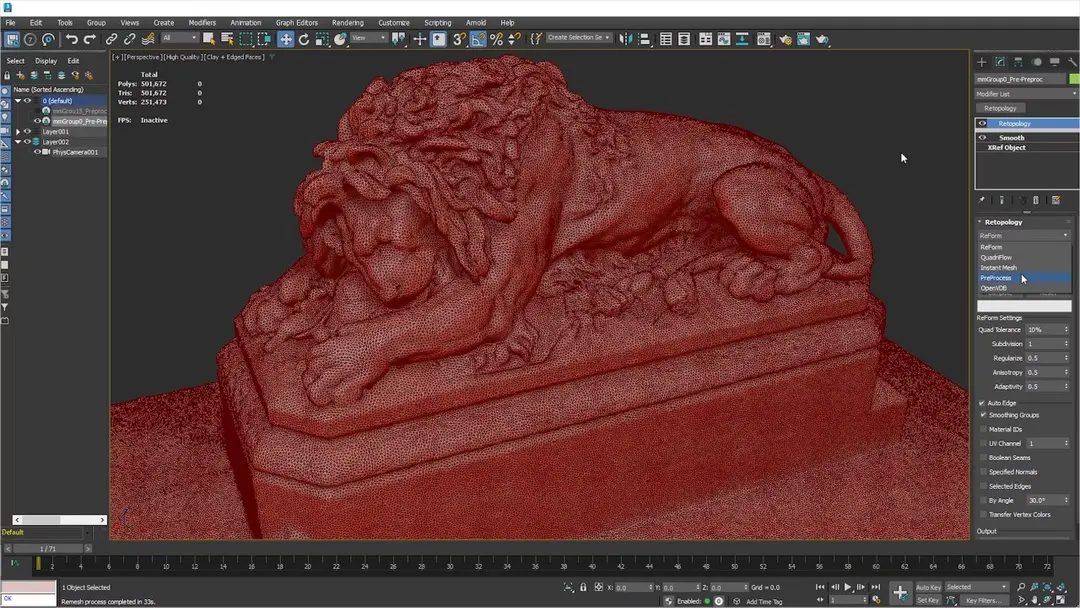
3DS Max doesn’t just exist in the crowded 3D software market. Compete against the likes of Maya, Blender, Cinema 4D, SketchUp and more. but why? Each tool has its own DNA. 3DS Max has been praised for its powerful polygon modeling. The built-in Arnold renderer is top notch. Advanced animation tools for characters and visual effects.
The software supports several export formats. glTF support for web access was recently added. This makes 3DS Max versatile in the modern 3D ecosystem.
Comparing 3DS Max to industry standards
Compared to Maya. Both are Autodesk products. However, they serve different industries. Maya controls the animation. Handle complex visual effects. Its process animation tools are second to none. Dynamic control is fine-tuned for theaters.
3DS Max excels in other areas as well. Architecture? Virtual design? Industrial design? Product visualization? This is your first choice. The user interface is very intuitive. Modules are optimized for environment modeling. Creating scenes is fast.
Then there’s Blender. It is open source. The community is huge. But 3DS Max wins with its professional integration. Better handle complex project workflows. Enterprise software often requires this type of consistency. The great thing about Blender is that it’s free to use. It doesn’t always play nice with corporate Autodesk pipelines.
What formats does 3DS Max use for collaboration?
Compatibility is important. 3DS Max uses FBX natively. This format is standard for 3D production pipelines. Use other Autodesk applications such as Revit, AutoCAD and Inventor. It is also connected to game engines such as Unreal Engine and Unity.
OBJ is also a supported format. Helps share data with countless other 3D applications. Third-party plugins continue to expand these features. This software adapts to the new challenges of the industry.
Where to learn 3DS Max
Mastering 3DS Max takes time. The feature set is huge. But there are plenty of resources. Autodesk offers its own training. Access is free for subscribers. Content ranges from basic to advanced rendering.
The documentation is very detailed. Let’s talk about polygon modeling. Texture description. The lighting settings are broken. MaxScript automation scripts are also documented.
Certification and Community Support
3DS Max is taught in many accredited schools. E-learning platforms offer certification courses. These are modular. Both beginners and experts will find what they need. Specializations are character animations and complex rendering.
Autodesk Certified Professional credentials can help. Show your professionalism to employers. Encourage them to practice in a professional environment.
In addition to formal training, we also have an active user community. There are special forums and discussion groups. Video channels provide practical tips. Case studies are shared. Custom scripts can be used.
This ecosystem allows us to solve technical problems quickly. More creativity. Users share their experience of optimizing the workflow. Plugin integration is discussed. Collaborative project management is a common topic.
Autodesk’s official documentation serves as a technical reference. It details compatibility. System requirements are listed. Version-specific procedures are outlined.
Tools develop quickly. 3DS Max is updated regularly. New modules appear. Improved user interface. Hardware support continues to expand.
We recommend that users enable automatic updates through Autodesk Manager. Or check for new versions manually. This ensures stability. Security is maintained. Creation processes stay efficient.
However, updates do not always go smoothly. Sometimes they break scripts. Sometimes the interface feels different. You have to adapt. Just like the software.
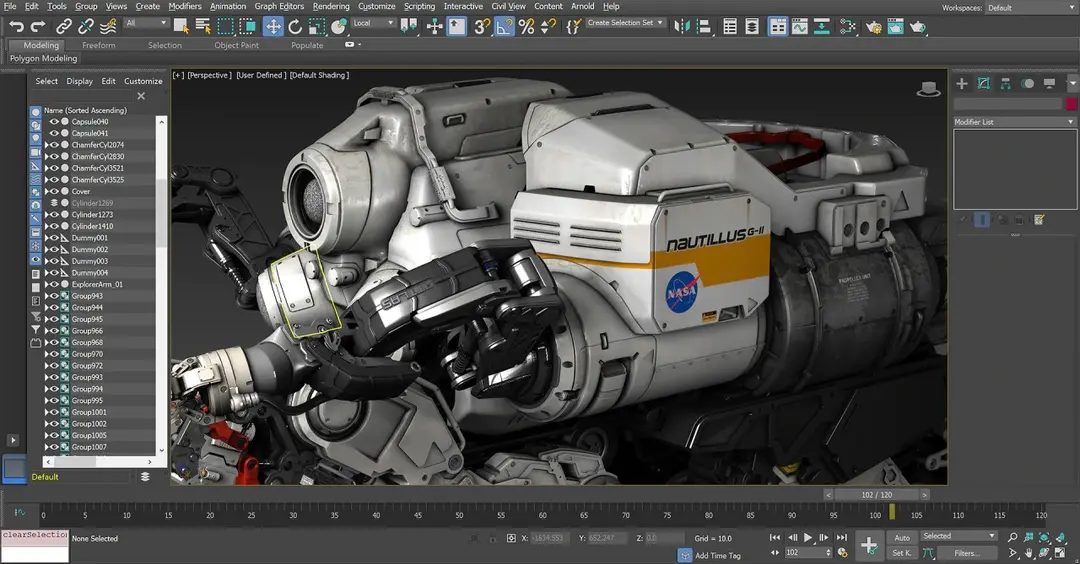
You cannot just click “download” and expect magic to happen. Not with Autodesk 3ds Max. It is heavy software. It demands respect. Before you even think about installing the suite, you need to know what it actually is and what it eats for breakfast.
This is not a casual tool. It is a professional-grade workstation for 3D modeling, animation, and rendering. It powers the visual effects in movies, the architecture in your next building permit, and the assets in your next video game. If you are skipping the prep work, you are asking for crashes.
The Hard Requirements for 64-bit Windows
Let’s cut the fluff. The software does not run on Linux. It does not run on macOS. It lives in the Windows 10 and Windows 11 ecosystem. Specifically, it needs the 64-bit version. No exceptions.
You need administrative rights on your machine to install it. The installer pulls directly from your Autodesk account. This means you are not getting a crack or a portable zip file. You are getting a signed, verified package that ties your identity to the license. This is good for security. It is annoying for privacy.
Licensing: The Subscription Trap
How do you get it? You pay.
The model is strictly subscription-based. There is no perpetual license anymore. You rent the software. If you stop paying, the software stops working. There is a limited trial version available for those who want to test the waters, but it has an expiration date.
Students and teachers are the lucky few. They can access a free educational license. It is not a full commercial tool, but it is powerful enough to learn. The catch? You must prove your status. And the license expires after a set period, requiring re-validation.
The Ecosystem: Why It Matters
Why use 3ds Max instead of Blender or Maya? Interoperability.
It talks to AutoCAD, Revit, and Inventor like a native. If you are in the AEC (Architecture, Engineering, Construction) industry, this is non-negotiable. The file formats speak the same language.
It also bridges the gap to real-time engines. You can push assets to Unity or Unreal Engine via dedicated connectors. This is huge for game developers and virtual production teams. The bridge is not perfect, but it is robust enough for professional pipelines.
File Formats and Compatibility
What can you open? And more importantly, what can you export?
The core format is .max, but you will rarely share that. Instead, you use exchange formats. FBX is the standard. It moves geometry, animation, and materials between programs. OBJ is the basic fallback. DWG and DXF are for CAD data. STL is for 3D printing.
It also supports Alembic (ABC), which is critical for complex simulations and VFX pipelines. This isn’t just a list of extensions. It is a lifeline for collaboration.
Automation and Scripts
You are not just clicking buttons. You are automating workflows.
MaxScript is the native scripting language. It is old. It is clunky. It works. Python is also supported, which is a relief for modern developers. The SDK allows for deep C++ integration if you are building custom tools. This is where the software becomes a platform, not just an application.
Rendering: Arnold is Built-In
You do not need to buy a separate renderer. Arnold is integrated. It is a production-quality ray tracer. It handles complex lighting and materials out of the box. It is not the fastest renderer in the world, but it is the most reliable for final frames.
You can also use third-party plugins if Arnold doesn’t fit your needs. V-Ray is a common competitor, but it costs extra. Arnold is there. It is included. Use it.
Preparing Your Hardware
You need more than just Windows 11. You need power.
A **