

Mozilla Thunderbird is more than just an email application. It’s a legacy project of the Mozilla Foundation (the same team behind Firefox) and has earned the title of best open source email client. Why is this important? Because it doesn’t care about your data. It cares about your inbox.
This software is built with privacy in mind. Designed to be customized. Importantly, it is built to handle the clutter of modern digital communications without selling your attention to advertisers.
Why Thunderbird stands out in a crowded market
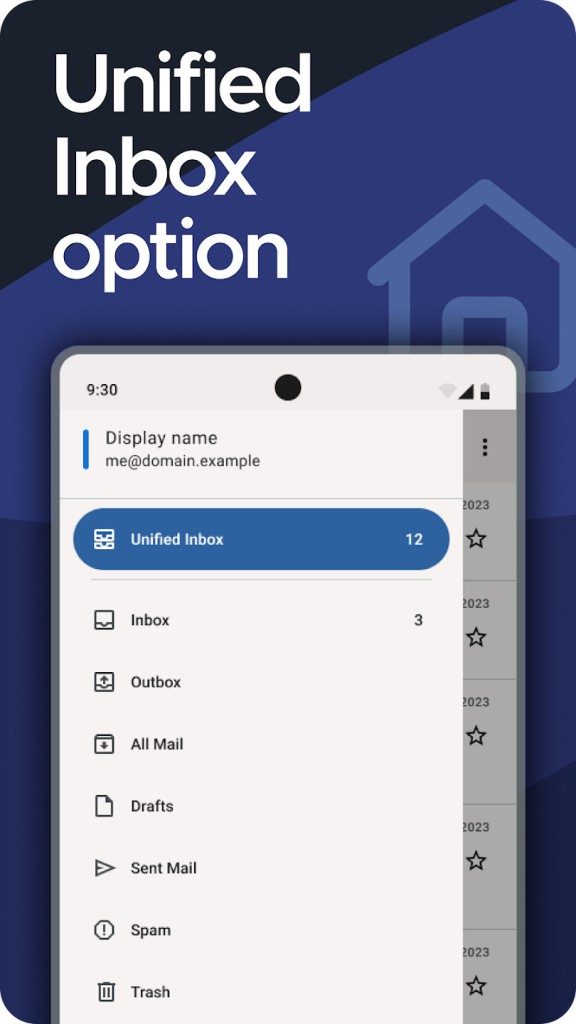
Most email programs are bloated. they are chasing you. You get push notifications about things you didn’t ask for. Thunderbird is different. It’s the hub of your digital life. Stack multiple email accounts (personal, work or any account) into one secure interface.
The technology stack is strong. Natively handles IMAP, POP and SMTP protocols. This means it works regardless of whether you’re syncing with Gmail, Outlook, or a private server. Enables advanced filtering. Fast and accurate search. Supports large attachments. Folders. Tags. Although it is a commonly used tool, it performs better than most proprietary applications.
Safety is not an afterthought here. Thunderbird supports native email encryption. It has advanced spam detection features. Stay safe without third-party bloatware.
But what is the real key? Extensions.
The addon community is huge. You can turn your email client into a productive beast. Do you want a calendar? Install Lightning or use the CalDAV plugin. Do you want to improve your contact management? Done. Do you want to automate boring tasks? There’s likely an extension for that. It adapts to you, not the other way around.
“The absence of advertising, the transparency of the source code and the strict respect of personal data make this software highly valued in the professional community on an ethical level.”
Deployment: compatibility and installation
No need to investigate suspicious download sites. The software is free. No premium tiers. No feature-gating. You get everything. Everyone. Student, professional, amateur, it’s all the same. Mozilla can accept donations to keep the lights on, but they don’t put paywalls in front of the code.
Works with almost everything.
- Windows: Available for 32-bit and 64-bit versions of Windows 7, 8, 10 and 11.
- macOS: Natively supported.
- Linux: Works with most major distributions.
- Portable Windows: Works from a USB stick. No installation required.
- Android: There are mobile clients, but the desktop experience is clearly better.
Installation is very easy. Visit Mozilla’s official website or a trusted mirror like Futura Sciences. Select your operating system. download. Run the executable file. It’s guided. Even if you’re not tech savvy, you won’t get lost.
Where Thunderbird shines is in the initial setup. Automatically detect the settings of the main service providers. Enter your email address and password. It configures the rest. You can add multiple accounts quickly. Designed to be out of the way.
Version and legacy support issues
Technology develops rapidly. Sometimes you have to slow down. Older devices may not be able to handle the latest version. Certain workflows may depend on the old interface.
Mozilla understands this. An archive of previous versions of Thunderbird is maintained. You can download it directly. This is rare in the software world. Most companies force updates or discontinue older versions for security reasons. Mozilla offers options. This is a nod to long-time users who value stability over shiny new features.
Is it perfect? No software is. But for those tired of subscription models and privacy-compromising defaults, Thunderbird remains an attractive option. It’s open. It’s free. It’s powerful.
The question now is not whether it works. The question is, you can go back to something that feels less like a service and more like a tool.
For many people, the answer is already yes.
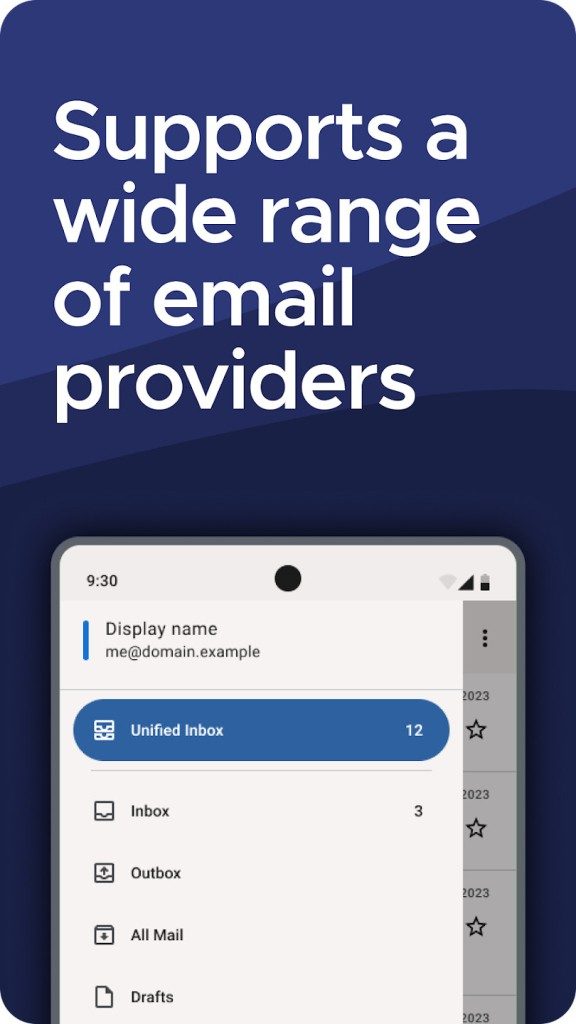
If you are tired of being tied to one ecosystem, Mozilla Thunderbird is the complete opposite of a giant. While Microsoft Outlook relies heavily on the Microsoft 365 subscription model, Thunderbird follows its technical independence philosophy. No special permission is required, and we do not force you to enter the walled garden. Instead, flexibility is prioritized, making it easy to transfer contacts, emails, and calendars between different providers without conflicting with proprietary file formats. This openness is not only a good thing. This is a real need for organizations that maintain their own email infrastructure and for individuals who refuse to be tied to a single provider.
Manage updates easily
One of the biggest friction points in software maintenance is the update process. Thunderbird handles this through an automated manager that checks for new versions, downloads patches, and applies them in the background. You don’t need advanced technical skills to keep your client secure.
But what if an update breaks a plugin you trust? Or what if the new feature conflicts with your workflow? You are not locked in. You can use the official download history and install previous versions manually. To force an update immediately, go to Settings > About Thunderbird. The inspection and installation process can be started with one click. It is simple so you can manage it without complications.
Suitable for all environments
Whether you use Windows, Linux or macOS, Thunderbird is for you. Administrators can deploy across the organization using automated deployment tools, and individual users have access to extensive documentation, forums, and online training. Some platforms also offer webinars and certifications for professionals. This level of support indicates that the project has matured to the point where it understands the needs of casual users and IT departments.
Security that really works
The real value of using Mozilla Thunderbird is its strong security architecture. It supports native security protocols and provides end-to-end encryption via PGP or S/MIME. It also has strong protection against spam and phishing. You can set up automatic message backups to keep your data safe even in the event of a device failure.
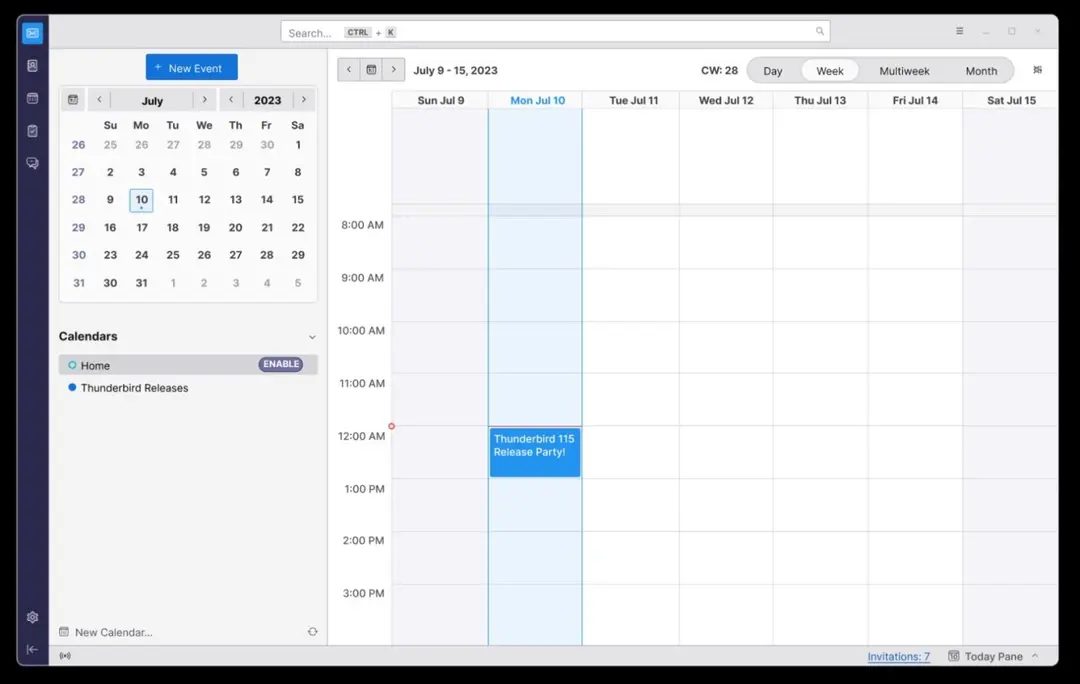
In addition to security, it is also a center of productivity. Calendar integration, task management and reminders are synchronized with different data sources. This turns your email program into a command center for your day-to-day tasks, such as managing personal appointments and company deadlines.
Community-oriented future
Software development is guided by a community of users and developers. Feedback is seamlessly integrated, enabling faster adoption of the latest protocols, better hardware support, and faster security patching. This inclusive model fosters innovation without compromising the stability that Thunderbird is known for. Power users can create their own plugins and add niche features that benefit the entire ecosystem.
At a time when digital independence is increasingly important, Thunderbird stands out as a sustainable alternative to closed ecosystems. It respects user privacy, avoids license fees and is universal. This is a practical option for individuals who want to control their data and for companies who want to reduce costs. It’s not a question of whether it’s good enough, it’s whether you can afford to continue using a product that you have no choice about.
Download. Try it. See if the lack of corporate oversight feels like freedom or just another variable to control.
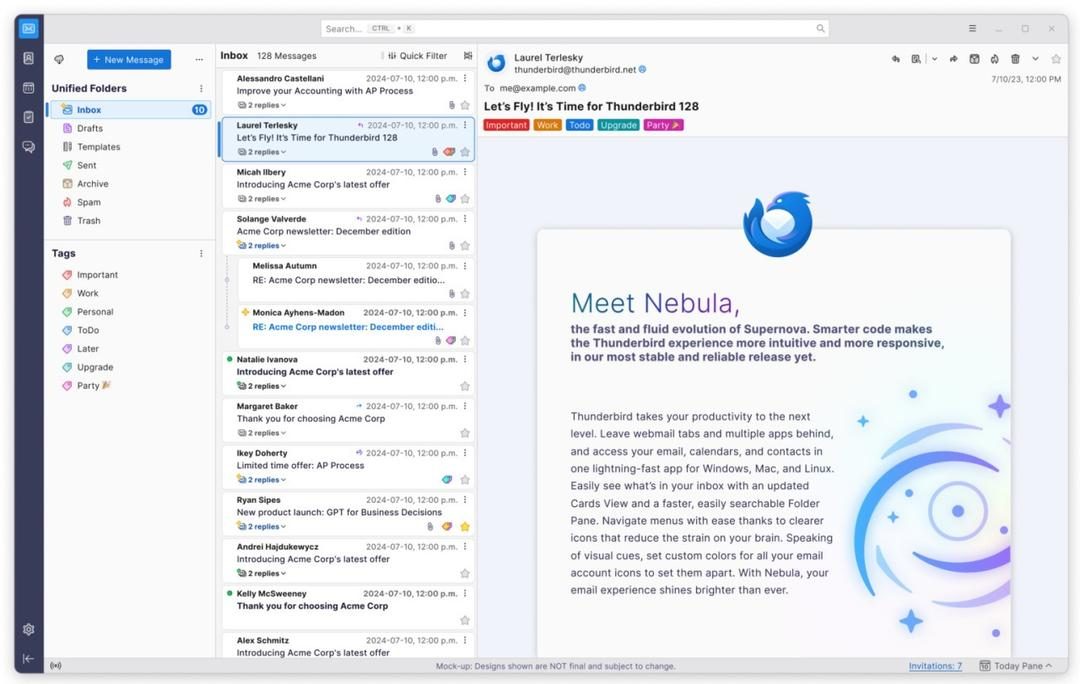
Thunderbird’s technical backbone
Before you install an email client, you need to know what you’re actually getting. Mozilla Thunderbird is more than just an application. Built on open standards. This means that users communicate with their email provider without requiring you to jump through hoops. The goal is simple: interoperability.
The developer is MZLA Technologies Corporation, the company behind the Mozilla Thunderbird project.
They released it under the MPL 2.0 license.
It’s free.
It is open source.
Adjustments are possible if you have the ability.
Where it runs
You are not locked into one operating system. This software supports Windows (32-bit and 64-bit), macOS and Linux. There is also a portable version for Windows if you save the settings to a USB stick. On mobile it is available for Android.
This consistency across platforms is important. You can start an email draft on your Linux desktop and finish it on your phone without losing context.
Connecting
Thunderbird speaks the language of the Internet. It handles IMAP and POP3 protocols for getting email, SMTP for sending email, and NNTP for Usenet groups. It also supports RSS/Atom feeds, so you can turn your inbox into a news aggregator if you want.
Authentication is modern. Use OAuth 2.0. This means that in many cases you don’t need to share your real password directly with the app to log in. It also supports traditional encrypted password methods for legacy setups.
Security protocols
Security isn’t an afterthought here. The application enforces TLS/SSL encryption to ensure data transfer security. This is a standard layer that prevents eavesdroppers from reading the transmitted data.
For content, it offers end-to-end encryption via OpenPGP and S/MIME. If you are handling sensitive information, this is non-negotiable. It also has built-in phishing and spam filters to reduce noise.
Data formats and migration
You own the data. Thunderbird uses standard formats such as MBOX and EML. Contact information is stored in vCard or LDIF. The calendar uses ICS and CalDAV. Address books can be synchronized via LDAP.
Why is this important? Because it makes the transition easier. Switching from Outlook or Apple Mail to Thunderbird doesn’t have to be a nightmare. You can export your old data to these standard formats and import them cleanly. The app also includes tools to help with backup and migration.
Core features
该界面是可定制的。 您可以从一个窗口管理多个帐户。 过滤器可让您自动排序。 标签可帮助您直观地进行组织。 模板可以节省重复回复的时间。
对于大型附件,文件链接是一个值得注意的特定功能。 它不会使用巨大的文件堵塞您的电子邮件,而是使用云存储链接。 收件人从安全服务器而不是您的邮件服务器下载文件。
Plugins and offline mode
The application is extensible. MailExtensions allows developers to build extensions that change the appearance and behavior of the user interface. Themes allow you to change the color scheme.
No internet connection is required to work. Read old emails or draft new emails offline. When you reconnect, the app will sync your changes. This is very important for travelers and people with spotty connections.
Deployment and language
deployment is straightforward. Most Linux distributions have standard installers and packages. Enterprise environments have centralized configuration options.
The user interface is multilingual. In addition to French, many other languages are also supported depending on your system locale.
The Hidden Cost of Convenience
The convenience of modern software often comes with a heavy, invisible toll. We swipe, we click, we expect instant results. But behind that smooth interface lies a complex web of dependencies, tracking pixels, and data harvesting operations that most users never see. The question isn’t whether this happens. It’s why we keep allowing it.
Consider the basic act of loading a webpage. It’s not just text and images anymore. It’s a scavenger hunt for analytics scripts, ad trackers, and social media widgets. Each one adds latency. Each one compromises privacy. Yet, we tolerate it because the alternative feels slower. Or perhaps we just don’t have a choice.
Privacy as a Luxury Good
In the current tech landscape, privacy has become a premium feature. You can pay for better encryption, more secure browsers, or curated news feeds. But these solutions are often fragmented. They require effort. They demand technical literacy that the average user simply doesn’t possess.
This creates a divide. On one side, those who can afford to protect their data. On the other, everyone else, left exposed to the whims of algorithmic recommendation engines and targeted advertising. It’s not a bug. It’s the business model.
“If you’re not paying for the product, you are the product.”
This cliché holds true, but it’s too simple. The reality is more nuanced. We are not just the product. We are the raw material. Our attention, our preferences, our fears—these are mined, refined, and sold to the highest bidder. The interface is just the packaging.
The Illusion of Control
Users think they have control. We adjust settings. We clear cookies. We install ad blockers. But these actions are often superficial. They address symptoms, not the disease. The infrastructure of the modern internet is built on surveillance capitalism. It’s deep-rooted. It’s resilient.
And it’s growing. As AI integration becomes more common, the amount of data being processed increases exponentially. Personal assistants, smart home devices, and even wearables are all feeding into this vast data lake. The question is no longer how much we’re giving away. It’s how much we can actually get back.
What Comes Next?
There’s no silver bullet. No single app or policy will fix the broken ecosystem. But there are signs of change. Regulatory pressure is mounting in Europe and parts of Asia. Consumer awareness is rising, slowly. Tech companies are beginning to acknowledge the need for greater transparency, though their actions often lag behind their PR statements.
For the everyday user, the path forward is about awareness. Not paralysis. Not quitting the internet. But understanding the trade-offs. Recognizing that every click has a cost. And deciding, consciously, what that cost is worth.
The technology will keep evolving. Faster. Smarter. More invasive. The only constant is choice. How we exercise it will define the next decade of digital life.