
Many users settle for the default audio experience on their AirPods, unaware that subtle tweaks can significantly enhance clarity, comfort, and overall sound quality. While Apple’s hardware is premium, the software settings often remain unadjusted, leading to common complaints about muffled voices during calls or fatiguing music playback.
By leveraging iOS’s Headphone Accommodations and understanding noise-canceling modes, you can transform your listening experience. This isn’t just about volume; it’s about tailoring the frequency response to your specific hearing profile and environment. Here is how to optimize your setup for both media consumption and communication.
Prerequisites: Compatibility and Preparation
Before diving into customization, ensure your device ecosystem supports these features. The Headphone Accommodations suite—Apple’s primary tool for audio personalization—is available on iOS 14 and later (iPadOS 14+).
Compatible Devices:
* AirPods: Pro (all versions), Max (all versions), and standard AirPods (2nd generation and later).
* Beats: Powerbeats, Powerbeats Pro, Powerbeats Fit, Beats Solo Pro, and Beats Fit Pro.
* EarPods: Apple EarPods (wired or Lightning).
Pre-Setup Checklist:
1. Update Your OS: Ensure your iPhone is running the latest iOS version (e.g., iOS 17.4) to access all features.
2. Disable Existing EQ: Go to Settings > Music > EQ and select Off. This prevents conflicting audio processing.
3. Find a Quiet Space: The customization test requires minimal background noise for accurate results.
Step-by-Step: Running the Custom Audio Setup
The most effective way to improve sound is through Apple’s Custom Audio Setup, a guided test that adjusts frequencies based on your hearing preferences.
- Enable Headphone Accommodations:
Navigate to Settings > Accessibility > Audio & Visual > Headphone Accommodations and toggle the feature On. - Select Application Contexts:
At the bottom of the page, choose where you want these settings applied:- Phone: Affects calls, FaceTime, and third-party video chats.
- Media: Affects music, movies, podcasts, audiobooks, Siri, and voicemails.
- Initiate the Test:
With your AirPods connected, tap Custom Audio Setup. - Complete the Listening Test:
- Hearing Check: The system plays soft speech samples. Confirm if you can hear them to establish a baseline.
- Preference Tuning: You will hear pairs of music clips with different tuning profiles (e.g., boosted highs vs. balanced). Choose the version you prefer. If they sound identical, select the first option.
- Apply Recommendations:
Upon completion, iOS automatically applies settings optimized for your choices. Common adjustments include:- Vocal Range Boost: Enhances mid-frequencies for clearer speech.
- Brightness Boost: Elevates high frequencies for a crisper, more detailed audio profile.
- Soft Sound Amplification: Increases volume for quieter elements, adjustable from slight to strong.
Note: If you have a professional audiogram, you can upload it during this process for even more precise calibration. However, the subjective listening test is sufficient for most users.
Mastering Noise Control: ANC, Transparency, and Adaptive Audio
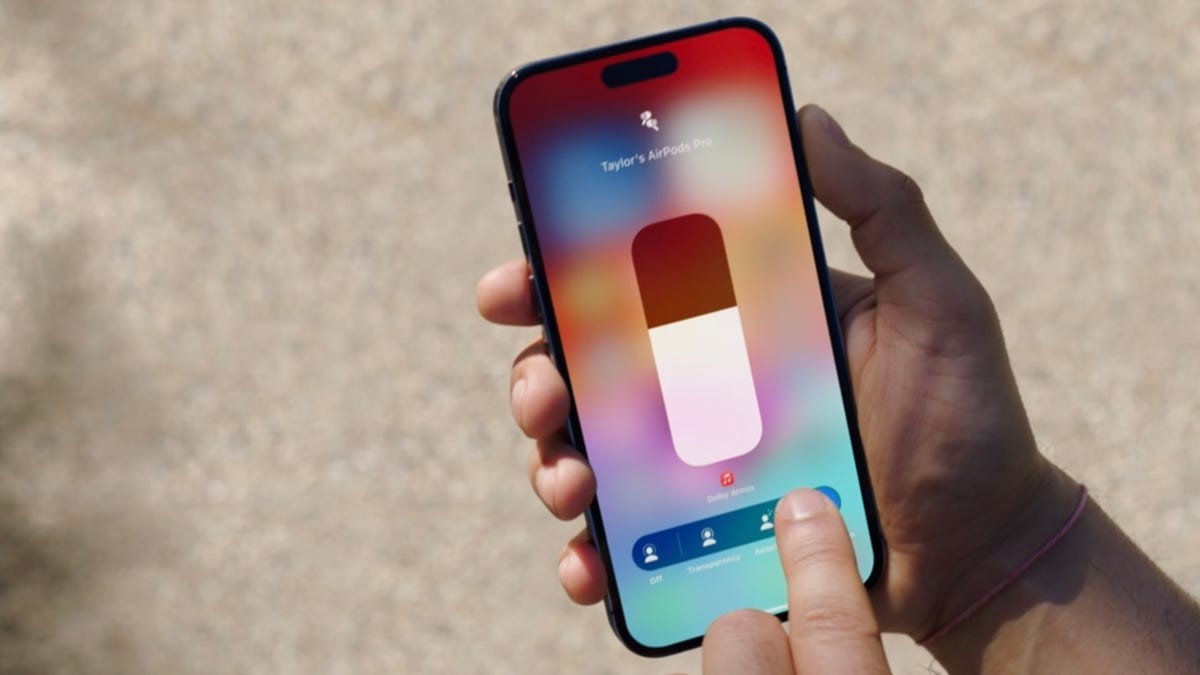
Beyond frequency tuning, managing ambient noise is crucial for audio clarity. Modern AirPods offer three distinct modes, each serving a different purpose.
1. Active Noise Cancellation (ANC)
ANC uses internal microphones to capture external noise and generate inverse sound waves to cancel it out.
* Best For: Steady, low-frequency sounds like airplane engines, fan noise, or traffic hum.
* Limitation: It is less effective against sudden, high-frequency noises like human voices or clapping.
2. Transparency Mode
This mode does the opposite of ANC. It uses microphones to amplify external sounds, allowing you to hear your surroundings naturally while wearing your headphones.
* Best For: Quick conversations, navigating busy streets, or staying aware of announcements.
* Benefit: It reduces the “pressure” feeling often associated with sealed earbuds.
3. Adaptive Audio (Newer Models)
Available on the latest AirPods Pro and Max, Adaptive Audio is a hybrid approach. It dynamically blends ANC and Transparency based on your environment.
* How It Works: The headphones continuously analyze ambient noise. In quiet rooms, it focuses on sound quality; in noisy cafes, it boosts noise cancellation; when someone speaks to you, it automatically lowers attenuation so you can hear them without removing the earbuds.
* Why It Matters: This eliminates the need to manually switch modes, providing a seamless balance between isolation and awareness.
Conclusion
Optimizing your AirPods is not a one-time task but a way to align technology with your personal hearing needs. By running the Custom Audio Setup, you ensure that music sounds vibrant and voices remain clear, while mastering Adaptive Audio or Transparency modes allows you to stay connected to your environment without compromising sound quality. These small adjustments can transform your daily listening experience from merely functional to truly immersive.