
Night terrors have specific sounds. This one is the creak of floorboards. You’ve washed up, tucked in, ready to drift—then you remember the lamp. Or worse, you realize your phone is sitting face-up, glowing like a siren song. With Brick, that means getting up, stumbling to the other room, and tapping the NFC tag. Physical exertion for digital discipline. Painful but necessary.
Or so I thought.
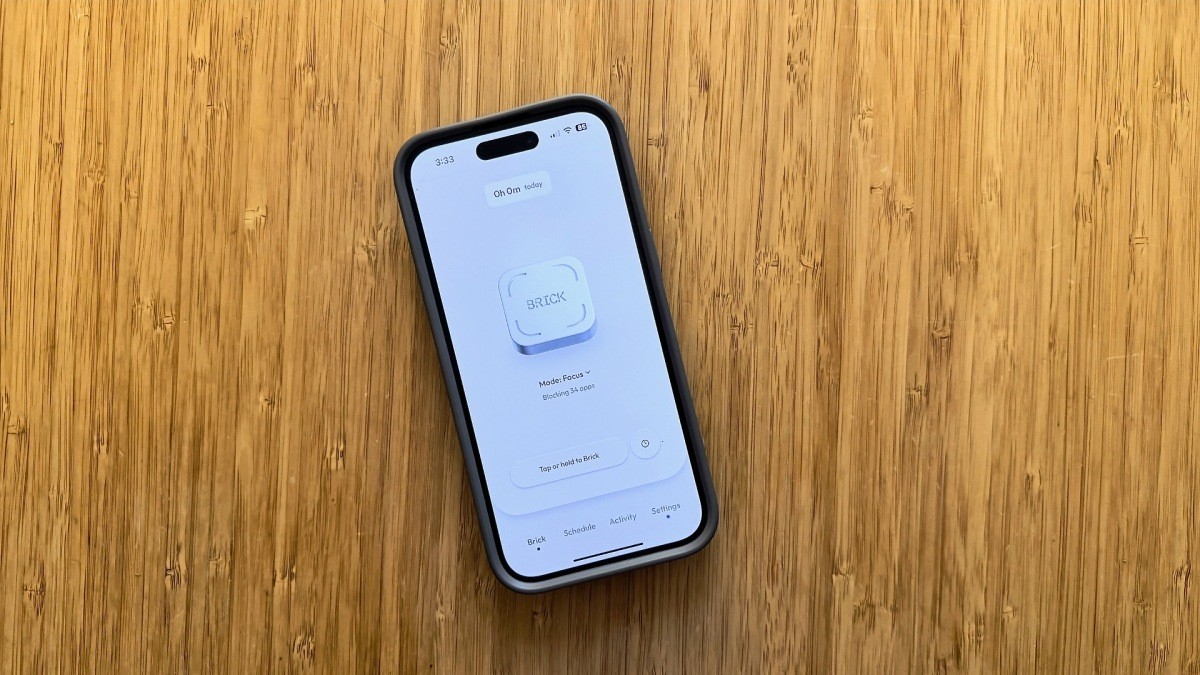
Last night I did exactly that. Got up. Tapped the Brick. Back in bed. As I opened the app later, I noticed something odd. The main button hadn’t just changed colors. The text said, “Tap or hold to Brick.”
I held it.
The phone locked. I stayed in bed.
It’s a small shift. It feels massive. Brick, the little puck that uses NFC to block distractions, has turned into a remote control. Sort of. The company claims they’ve cut screen time in half for users. My wife and I share one brick because it supports multiple profiles. The verb “to brick” has entered our vocabulary without a dictionary entry. Now, it has a range.
What Actually Changed?
Old way: Touch phone to brick. Instant silence. Apps go dark.
New way: You still do that. Or, you stay lazy. You open the app. You hold the button. Your phone bricks remotely.
Why didn’t they just say?
A spokesperson told me the feature was always there, hiding in the code, waiting. They just made the UI shout it now. A few of us at the office swear by Brick. We hadn’t seen the button option before the update. It wasn’t hidden because of malice. Just poor visibility. Now it’s front and center.
There’s a catch, of course. You can’t unbrick it remotely.
Try it. You won’t like it. If you could unlock from the app, the whole physical discipline thing falls apart. Brick relies on the friction of movement. You have to walk over to it. You have to tap the NFC antenna. It forces a pause. If it were all digital, it’d be just another timer. Useless against doom-scrolling.
So here is the trap. You hold to lock from your couch. Then you realize you need the GPS to drive somewhere. You can’t tap the app to unlock. You’re locked out.
Unless you have your emergency unbricks left. Five of them. Keep them. Don’t spend them on a moment of laziness that leaves you stranded.
It works. It’s convenient. It’s also a reminder that we are trying to outsmart our own wiring with little pieces of plastic and magnetic fields.
What happens when you lose the tag in the laundry? 🤷♂️