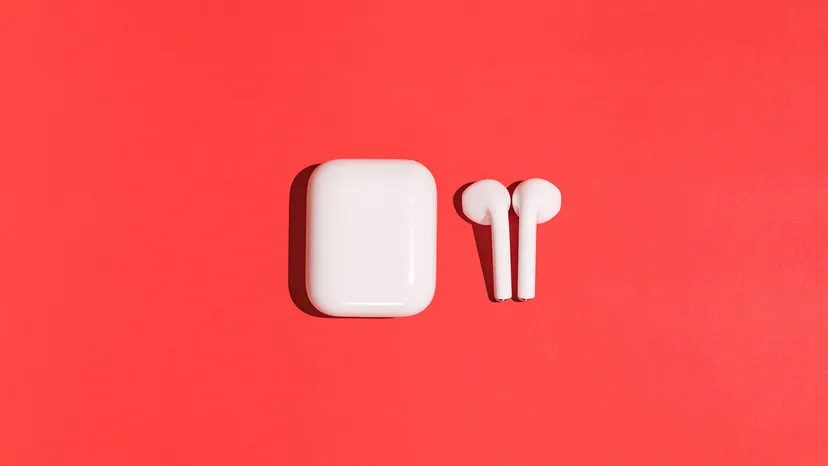
Everyone loves the convenience of wireless audio. But those sleek white earbuds? They become breeding grounds for gunk. It’s gross. It’s sticky. And it’s not just an aesthetic problem.
When you neglect how to clean AirPods, you’re inviting earwax, dirt, and grease into your ear canal. That accumulation creates a real risk of infection. You need to know the right sanitizing methods. These methods have been fine-tuned over the years. They apply to standard AirPods and AirPods Pro.
Before You Start Cleaning
Grab your supplies. Keep it simple.
- Dry cotton swab
- Soft, lint-free cloth (microfiber works best)
- 70% isopropyl alcohol (rubbing alcohol)
Now, look at what you should not do. This list is just as important as the supplies.
- Never submerge any part in water.
- Don’t use sharp objects or abrasive materials.
- Avoid disinfecting wipes on the speaker mesh. Exterior surfaces only.
- Never put anything in the charging ports. You’ll damage the metal contacts.
- Keep makeup, sunscreen, and hair dye away from the device.
Cleaning the Earbuds
Use the cotton swab to gently clean the speaker meshes and microphone. Some guides suggest using a toothpick or pin. Apple discourages this. Whether you choose a swab or a tool, gently dig out earwax from the edge. Do not puncture the speaker. That would be a disaster.
Use the cloth to remove dirt from the rest of the surface. If you have an anti-static brush, that’s a valid option for electronics.
What if the AirPods got stained? Things like shampoo, perfume, or acidic foods can damage them. In that case, take one step further. Dampen a clean microfiber cloth with water. Wipe the affected areas gently. Dry them immediately with a dry cloth.
Some guides recommend distilled water. It’s not necessary. If you have it, use it. If you don’t, regular water works.
Wait. Do not put the AirPods in the charging case until they are completely dry.
AirPods Pro users have an extra step. The silicone tips cover the earbuds. These need cleaning too. Remove the tips. Rinse them in water. Do not use soap or cleaner. Wipe them dry. Reattach only when they are fully dry.
Cleaning the Charging Case
Take that dry cloth. Gently wipe down the charging case. If it needs more power, add a tiny amount of isopropyl alcohol to the cloth. Or, use a disinfecting wipe. Be careful. Do not get liquid in the charging ports.
Don’t place AirPods in the case until they are completely dry.
Check the Lightning connector. If there is debris, use a soft-bristled brush. An old toothbrush works if it’s clean and dry. Gently scrub it out.
After doing this a few times, it becomes second nature.
The Quiet Difference
The main difference between AirPods and AirPods Pro is active noise cancellation. One silences the world. The other just plays music. Both need to stay clean.