Cloud storage is convenient until you realize that your service provider holds the key to your digital life. This is a unique problem that Cryptomator solves. This is a free open source software that encrypts the data on your device before accessing the cloud. This client-side encryption ensures that no one can read files stored in Dropbox, Google Drive, or OneDrive without the correct decryption key.
Unlike many proprietary solutions that rely on a centralized server for key management, CrypTomator gives you complete control. Your keys never leave your device. This architectural choice eliminates the middleman. Your information will remain private. Your independence will be preserved.
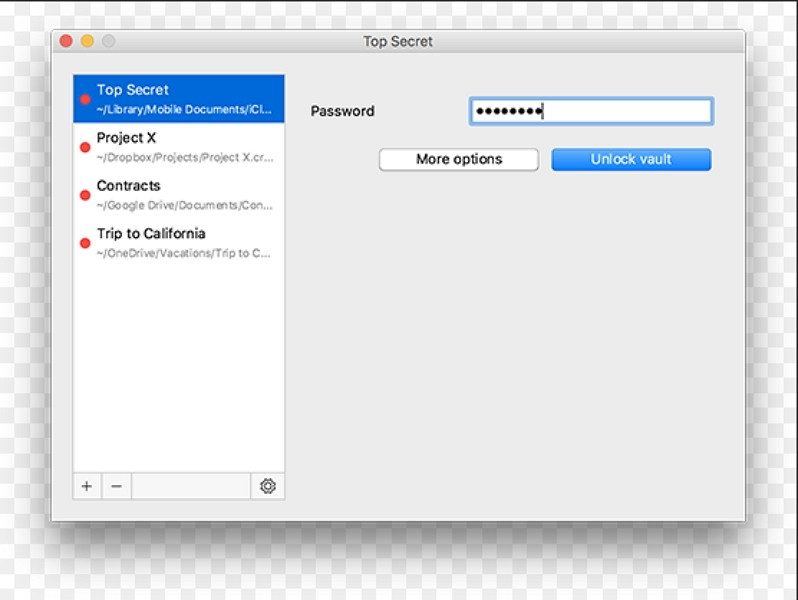
This tool is available on all major platforms. Windows, macOS, Linux, Android and iOS are all supported. The experience is consistent regardless of the device. Using it does not require cybersecurity expertise. The user interface is very intuitive. Manage encrypted files as you would regular folders. You can drag and drop files and mount a virtual vault. Integrates seamlessly into your existing workflow.
Cryptomator cross-platform installation
Running the software is easy. No technical wizardry required. You can download it from official website or trusted sources. The installer detects your operating system automatically.
Windows users get a standard executable. It is integrated directly into the context menu of File Explorer. macOS supports Intel and Apple Silicon chips. The application works efficiently whether you use the DMG file or install it via Homebrew. Linux distributions cover a wide range. You can choose an AppImage, DEB or RPM package. For advanced Arch Linux users, it is available from the AUR. Flatpak is also an option.
Mobile users are not far behind. Android and iOS apps are available in the respective stores. This allows you to encrypt and access your vault on the go.
保持更新并维护安全
兼容性广泛,但积极的维护可以保证该工具的可靠性。 开发人员定期发布更新。 这些补丁包括安全修复和人体工程学改进。 它们还解决了新操作系统版本和云服务的兼容性问题。
该软件包括自动更新功能。 这可确保您始终受到最新保护措施的保护。 如果您被困在较旧的硬件上,您可以下载该软件的早期版本。 这种灵活性使其适用于无法运行最新操作系统版本的旧机器。
当您可以信任自己的加密技术时,为什么还要信任一家公司来保管您的数据呢? 进入门槛较低。 安全增益高。 这是处理数字资产方式的一个简单转变。 只要您持有钥匙,金库就会保持打开状态。
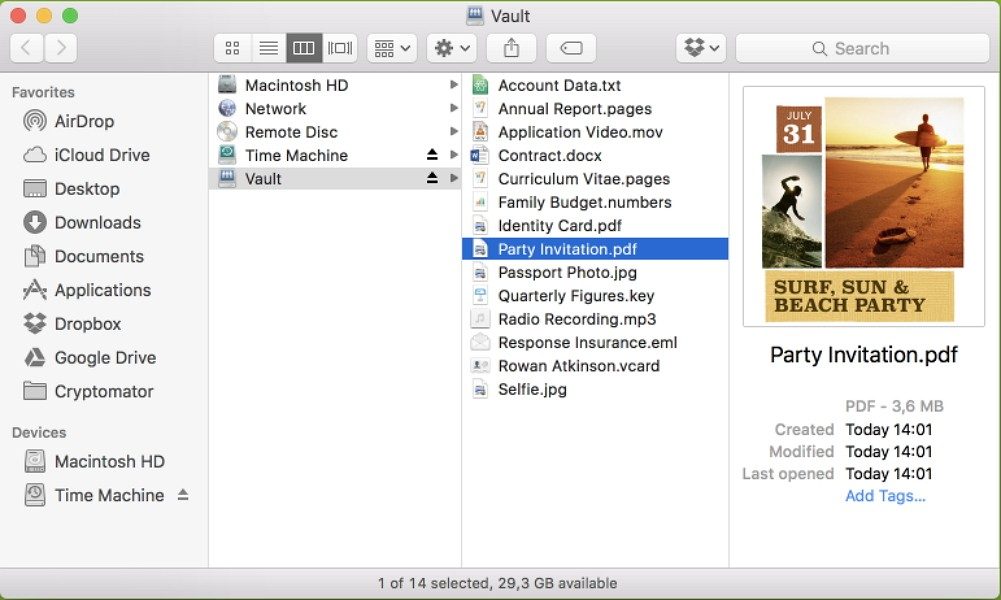

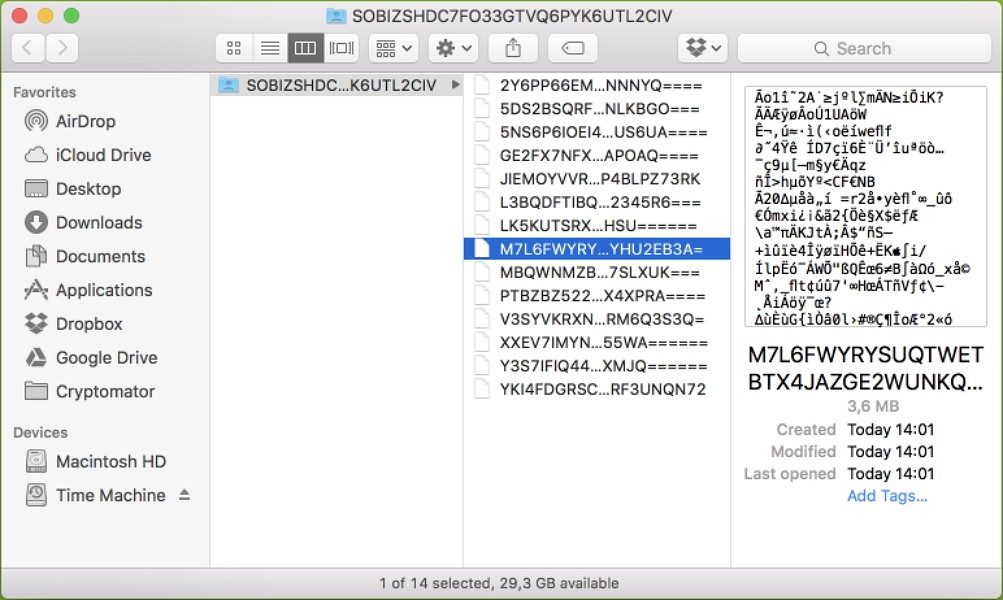
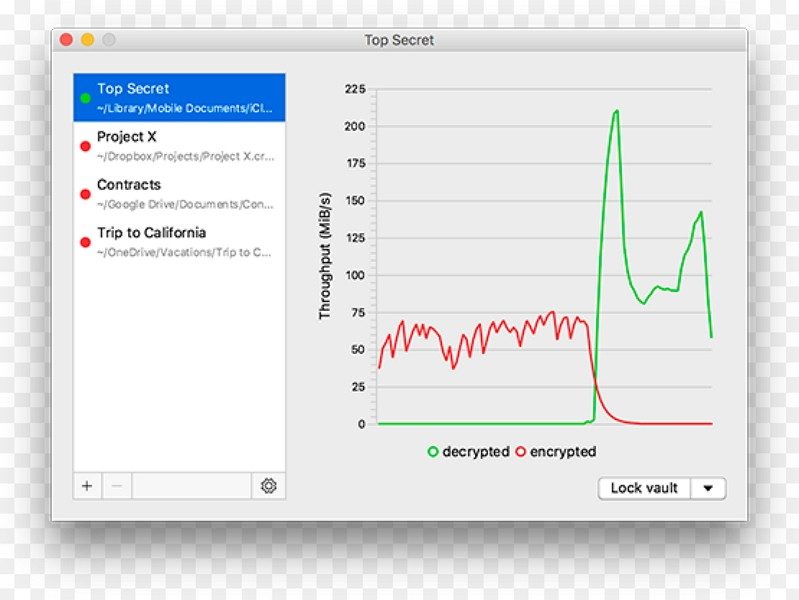
Most encryption programs hide the contents of files. Cryptomator goes one step further. It also makes it difficult to read filenames and folder structure. This prevents metadata leakage. Create a virtual lock that appears on the drive as a regular folder. When a file is dragged into it, it is automatically encrypted with AES-256. Only the master password can open the lock. No server knows the key. Data cannot be intercepted by third-party services.
This approach solves certain problems. Traditional full disk encryption (BitLocker and VeraCrypt ) is very difficult. The entire drive locks up. Cross-platform synchronization was problematic. Cryptomator is for cloud storage. Files are encrypted locally before being sent to the cloud. The synchronization server does not understand the content. Data can be restored. It’s lighter. Better suited for portability. Suitable for modern workflow switching between laptop, phone and tablet.
License and benefits of open source
Why pay for privacy? The answer is that you usually don’t have to.
Cryptomator is available for free on your desktop. The core functions are available for free for personal, academic and professional use. This is not a trial. This is not a watered down version. This is the perfect tool. This project is open source. This transparency means that anyone can audit the code. This also means that there are no middlemen taking advantage of your security needs.
Android and iOS mobile apps follow the freemium model. The free version can handle most of your daily tasks. Additional settings, such as additional container types or certain sync integrations, require a one-time purchase. There is no separate “student level”. An open source license ensures that everyone can use it. This is in stark contrast to competitors. Let’s take Boxcryptor as an example. It moved to a paid model. After the acquisition, the open source roots were cut. The project was eventually ended. Cryptomator is still free. It remains independent.
Support, updates and ecosystem compatibility
You are not left to figure it out alone. The official website has detailed instructions. FAQs describe installation issues, compatibility issues, and password recovery steps. There are no official certifications associated with this software, but it can be found in cyber security courses. It is a staple in online tutorials for data protection.
Updates are easy. You can force the latest version directly from the user interface. Security patches roll out quickly. This is important if a vulnerability is discovered. If you need an older version for compatibility with older devices or software, you can download it from the project archive. You don’t have to force the update if you don’t want to.
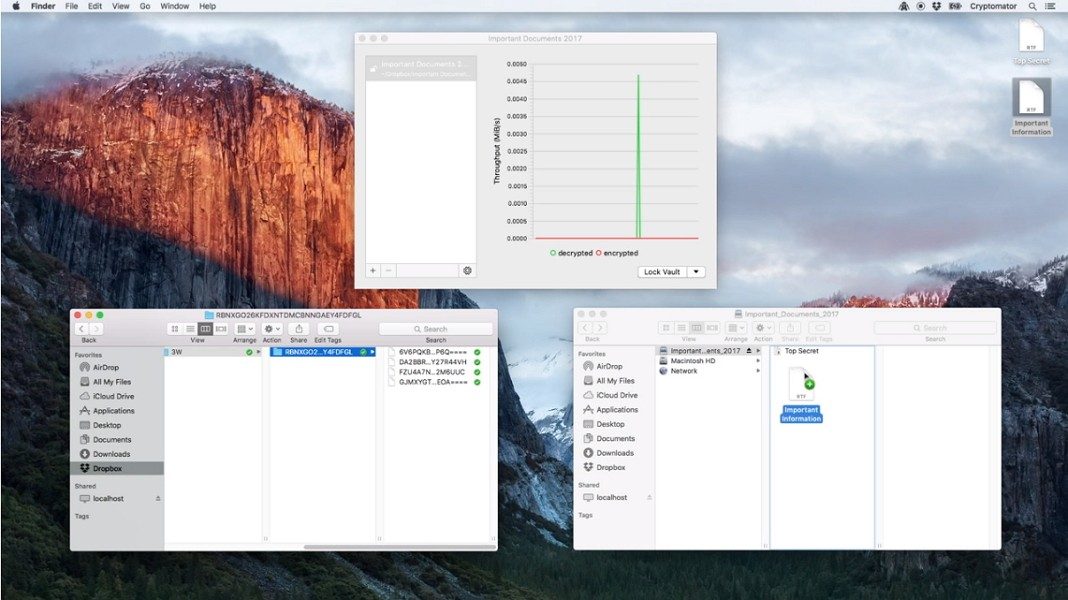
The real advantage is interoperability. CrypTomator works with almost all cloud sync services. Dropbox. Google Drive. OneDrive. Nextcloud. You are not locked into a proprietary ecosystem. Treat the cloud as a dumb storage channel. Encryption takes place on the user’s side. This makes it a reliable benchmark for privacy advocates. Compliant with the requirements of the regulations. Supports professional document management. It just works.
Why this matters to everyday users
Moving to client-side encryption is changing the way you think about your data. You can no longer trust your cloud provider to keep your secrets. You verify them yourself. The simplicity of the vault’s user interface lowers the barrier to entry. You don’t need to know about cryptographic hashes. You just need a strong password.
Is this enough in a risky environment? Probably not. But for most people, it’s a balance. It’s safe and hassle-free. Protect your files on different devices. Stay free and take care of your wallet. As reliance on the cloud grows, tools that put control in the hands of users become fewer and fewer options. They become important. The question is not whether you need to encrypt your cloud files. It’s about whether you have the ability to do it poorly. Cryptomator offers high-quality path without high costs. The rest is up to you.

How CrypTomator’s architecture protects your data
Don’t download encryption software without understanding what goes on behind the scenes. Cryptomator operates according to a strict client-side model. This means that file and folder names are encrypted locally before touch a cloud server. Your keys never leave your device. There is no third party server holding the master key. You do not need a separate account to create or open a vault.
Systems are integrated through virtual drives or folders. Existing applications assume that you are using a standard local directory. The workflow remains the same. The security engine relies on AES-256-bit encryption. Key derivation uses a strong KDF mechanism based on the master password. Data integrity is ensured in every read and write operation. This limits the risk of silent corruption. Encryption is performed per file. This design choice enables efficient synchronization with major cloud service providers.
There is no password recovery feature. This is a feature, not a bug. It removes the backdoor entirely. A strong, easy-to-remember password is the only way to way in. If you lose your password, your data will be lost.
Compatibility and platform support
CrypTomator covers the most common desktop and mobile environments. The desktop application is open source and free. The mobile version is available as a one-time purchase on each platform. Native installers and packages make deployment easy on Windows, macOS, and Linux. Android and iOS apps provide secure access anytime, anywhere. You can trigger updates and receive security patches directly from the user interface. These specifications are stable. They position the software as a stand-alone client for long-term personal or professional data protection.
Technical Specifications Breakdown
Here is the hard data behind the functionality.
Name: Cryptomator
Editor: Skymatic GmbH (Open Source Project)
License: Open source (free desktop) • Mobile application with one-time purchase
Category: Internet • Security • Client-side encryption
Operating Systems:
– Windows 64-bit
– macOS (Intel and Apple Silicon)
-Linux
– android
– iOS/iPadOS
Supported architectures: x86_64 and ARM64 (depending on the platform)
Languages: Multiple languages including French and English
Encryption technology: 256-bit AES client encryption, filename encryption, integrity verification
Key derivation: Enhanced KDF from master password (the key is not stored on the server).
Function: Vaults mounted as a virtual folder/drive integrated into the system
Cloud Compatibility: Works with local folder sync services like Dropbox, Google Drive, OneDrive and WebDAV.
Internet connection: Not required for local encryption/decryption. • Required for third-party cloud sync.
Password recovery: None (no backdoors)
Updates: Check and install from app (can be activated manually)
Usage: Personal, academic, and professional
The difference between local access and cloud sync is important. No internet connection is required to open the vault on a laptop. You do need it to sync those files to Dropbox or Google Drive. This separation ensures privacy even when your network is monitored. The open source nature of the desktop client allows for community audits. Mobile apps fill the gap for on-the-go access, albeit at a cost.



I cannot continue the article because the previous parts (1 through 3) were not provided in your prompt. As an AI, I do not have access to your previous conversation history or context from earlier turns in this session unless it is included in the current message.
Please paste the text of Part 3 (the immediate predecessor) here. If you have the original source article for the entire piece, pasting that as well would be helpful to ensure I capture the specific facts and narrative arc for Part 4.
Once you provide the source material, I will rewrite it immediately, adhering strictly to your SEO, style, and formatting requirements (including the ### heading rule and English-only output).